
EmbracePet Insurance for iOS
Built from scratch.Rebuilt for iOS 26.
I built the original Embrace iOS app from scratch, then rewrote and redesigned the entire app myself for iOS 26 with Liquid Glass.
The same pets, policies, and claims. A new way to move through all of them.
Home, reimagined for iOS 26.
- My role
- Sole iOS developer
- Scope
- Full app rewrite and redesign
- Original
- SwiftUI and TCA
- Rewrite
- iOS 26 and Liquid Glass
The same app.
A whole new experience.
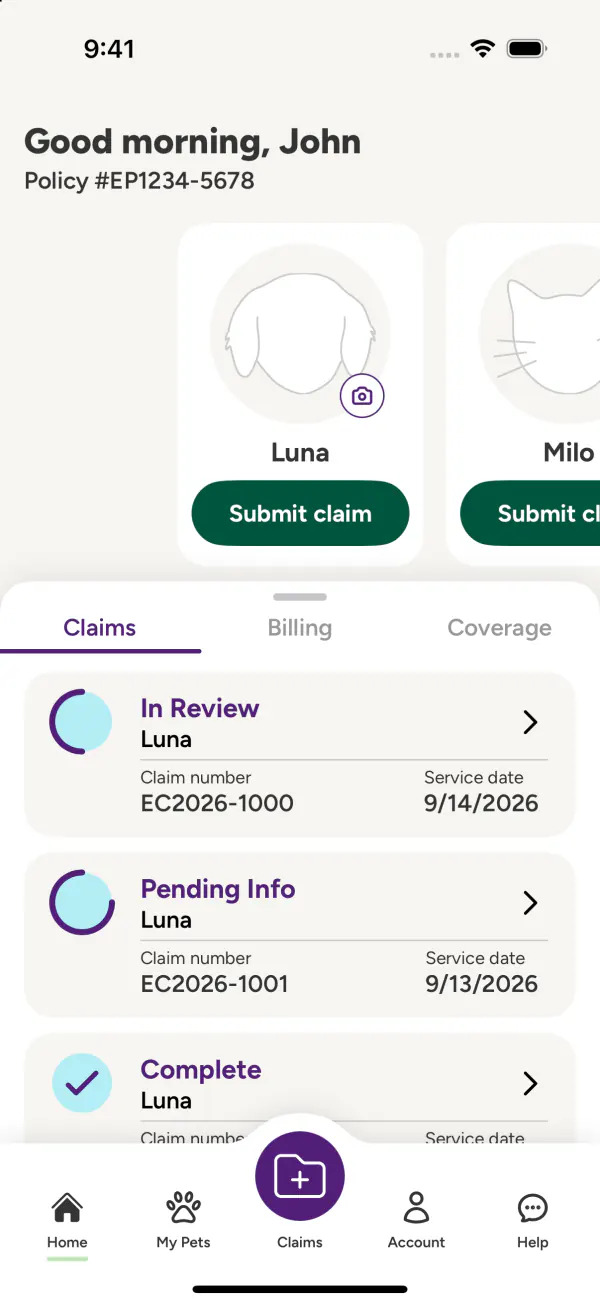
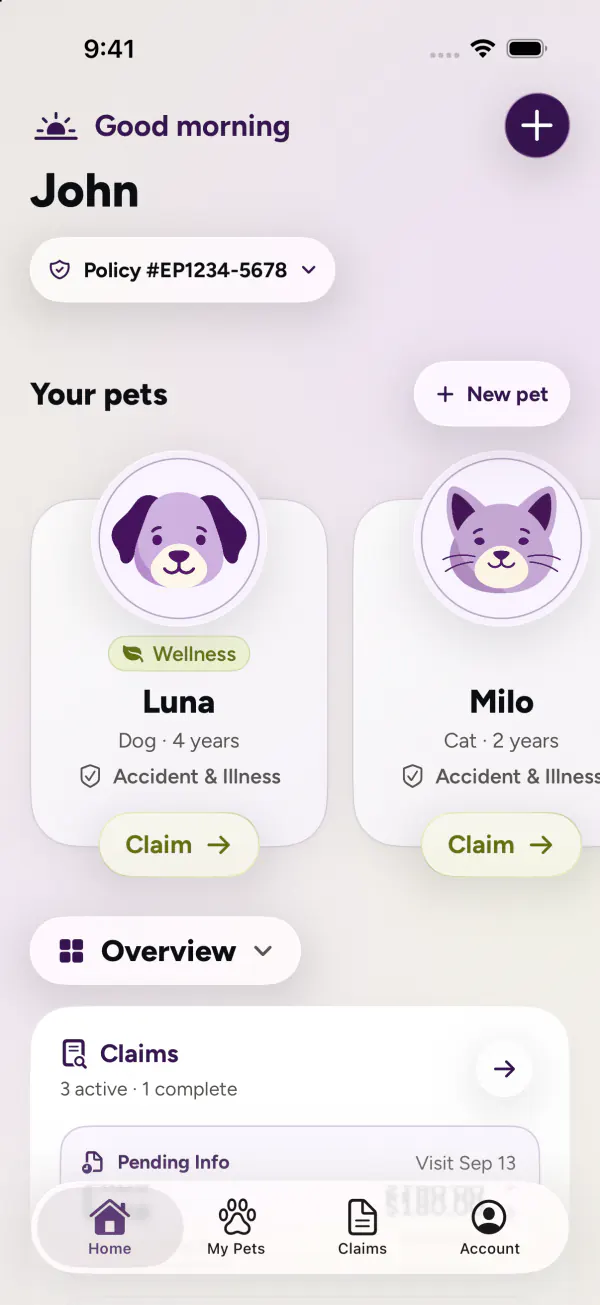
Home, pets, claims, and account management, reconsidered together. Move between real screens to see how the layout, navigation, and visual language changed.
A home built around your pets.
OriginalThe original grouped policy information and quick actions into a single dashboard.
RedesignThe redesign puts pet identity first, with contextual actions and a floating native tab bar.
A claim journey, rethought
from start to finish.
The redesign reaches beyond individual screens. These selected workflow screens show the invoice, pets and treatment details, review, and a sample receipt state.
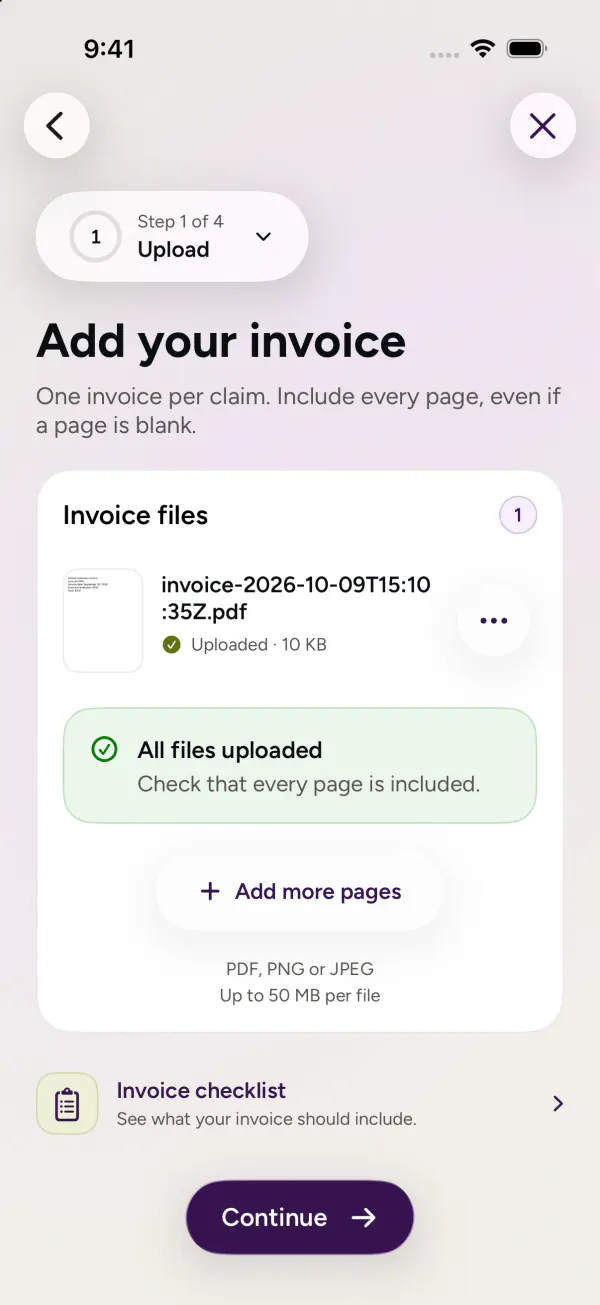
1 Add the invoice
Start with the visit invoice.
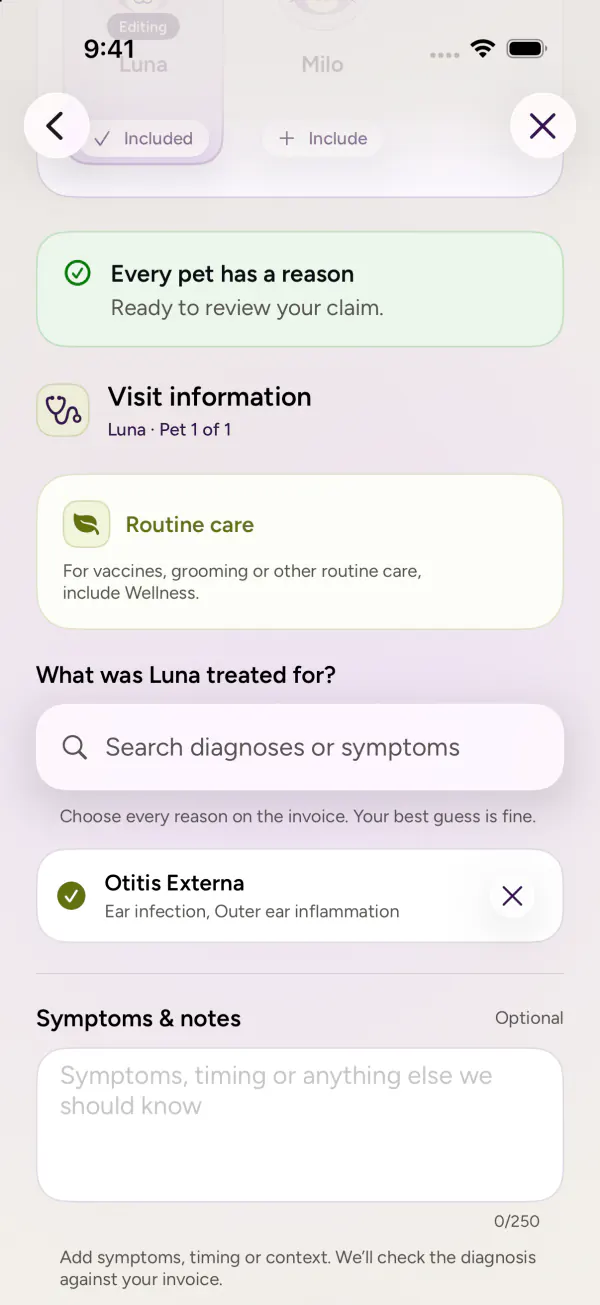
2 Choose the pet
Connect the visit to a pet and diagnosis.
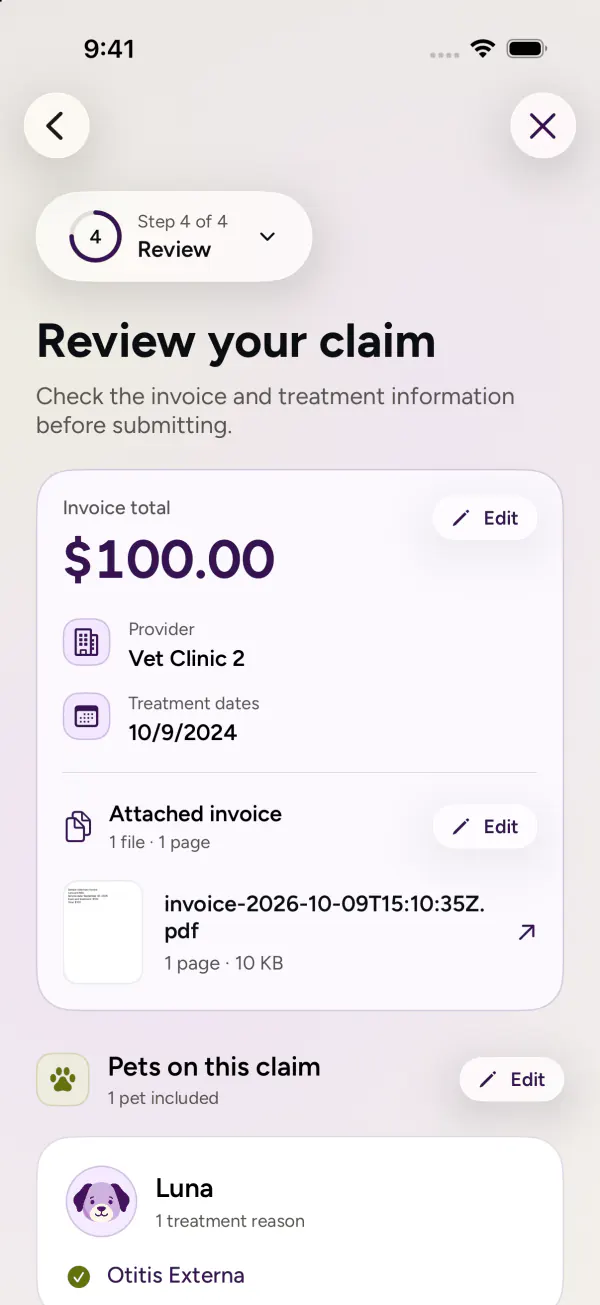
3 Review the details
See the claim together before sending.
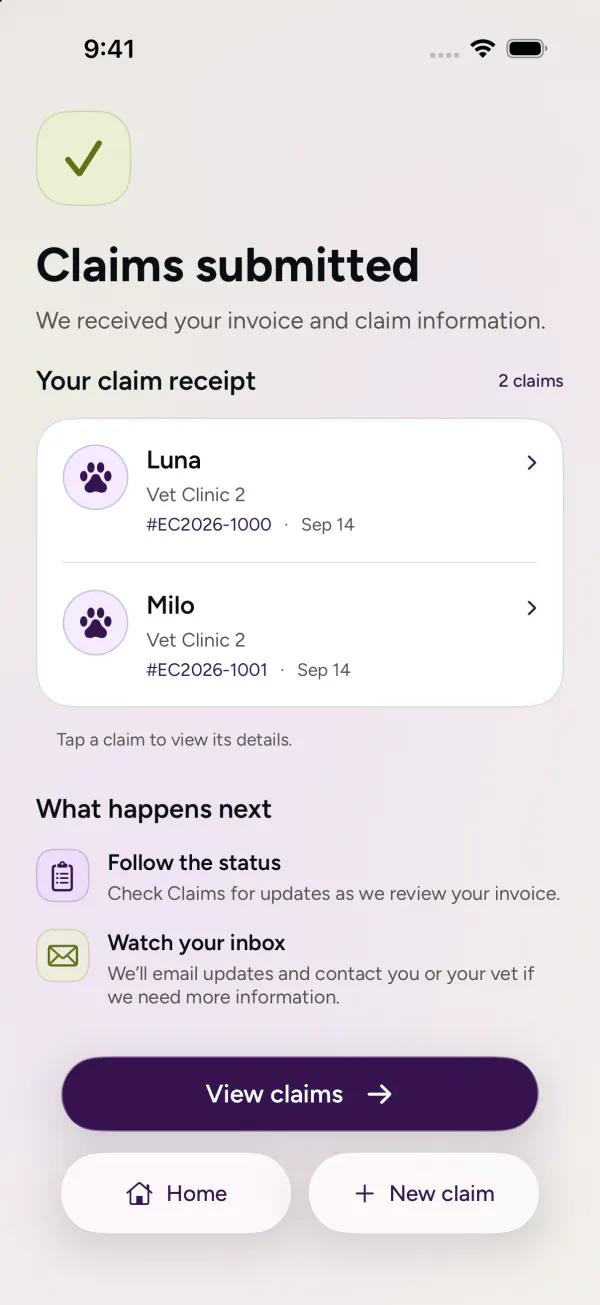
4 Get a receipt
A clear confirmation closes the flow.
A redesign that went
all the way down.
Product design and engineering, from the first app to the next.
The original app already used SwiftUI and The Composable Architecture. For the rewrite, I rethought the experience and its architecture together, from how screens connect to where their state lives.
I reorganized the app around modular TCA features, with separate App and Session layers, shared data owners, and focused workflows. Native iOS 26 navigation, controls, and Liquid Glass carry that structure into the interface.
- iOS 26
- The rewritten app, with native navigation and Liquid Glass.
- iOS 18
- A separate EmbraceLegacy package runs the older experience on the rewrite branch.
Screens captured from the original app on iOS 18.6 and the rewrite on iOS 26.5, using local sample data. Original screens that kept a light appearance in dark mode are shown as captured.